⌃24
Take my notes offline
A little reading, even when the connection disappears.
In progress SupaKnock
For app makers and small teams
Chat, bug reports, and feature requests.
Add them to your app without building a support system from scratch. SupaKnock is open source, runs on your server, and gives your team one place to reply.
Self-hosted · MIT licensed · Yours to keep
Interactive preview Sample data
Oh, that’s exactly what I needed!
FieldnotesA quick question about collections
FieldnotesThanks, that fixed it.
FieldnotesReplies stay with the conversation.
Help shape what comes next.
+ Share an ideaA little reading, even when the connection disappears.
In progressPin the ones I come back to, right at the top.
PlannedJust the words, please.
ShippedApprove the sources your assistant can use. Choose its tools. Step into the conversation whenever you’re needed.
You can make any collection private. Open its sharing settings and choose Only me.
Read and reply to customer messages in one inbox.
What’s included
Add a chat widget to your website. Set your support hours and reply from the web app or your iPhone.
Collect feature requests and bug reports. Review them before they go public, let users vote, and update their status as you work.
If you want AI support, choose a provider and approve the sources it can use. Decide which tools it can access, and take over a conversation at any time.
Your apps, connected
Sometimes you just want to know if anyone tried the thing you shipped.
Connect your apps to check recent signups, look up a user, and browse activity across projects. It’s all here, alongside your support inbox.
We built an open, read-only protocol for this. Your app decides what to share. Implement its endpoints, then add the connection URL and a dedicated token in SupaKnock.
Connect your appOptional, and only visible to your admins. Data is fetched when you open or refresh a view.
Last 7 daysAccounts still in the app
We use it too
We use SupaKnock in our own apps. See how feedback and support fit into JoyPass, Glean, and Beacon, on the web and on iPhone.
Explore the real integrations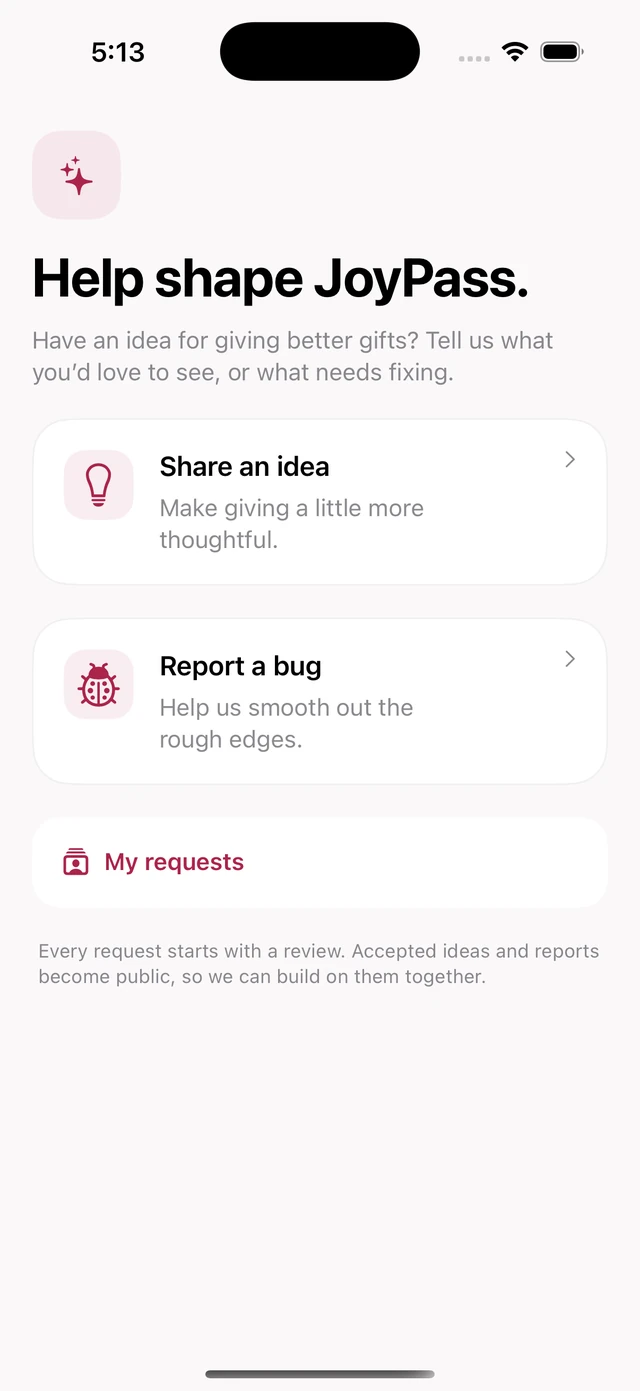
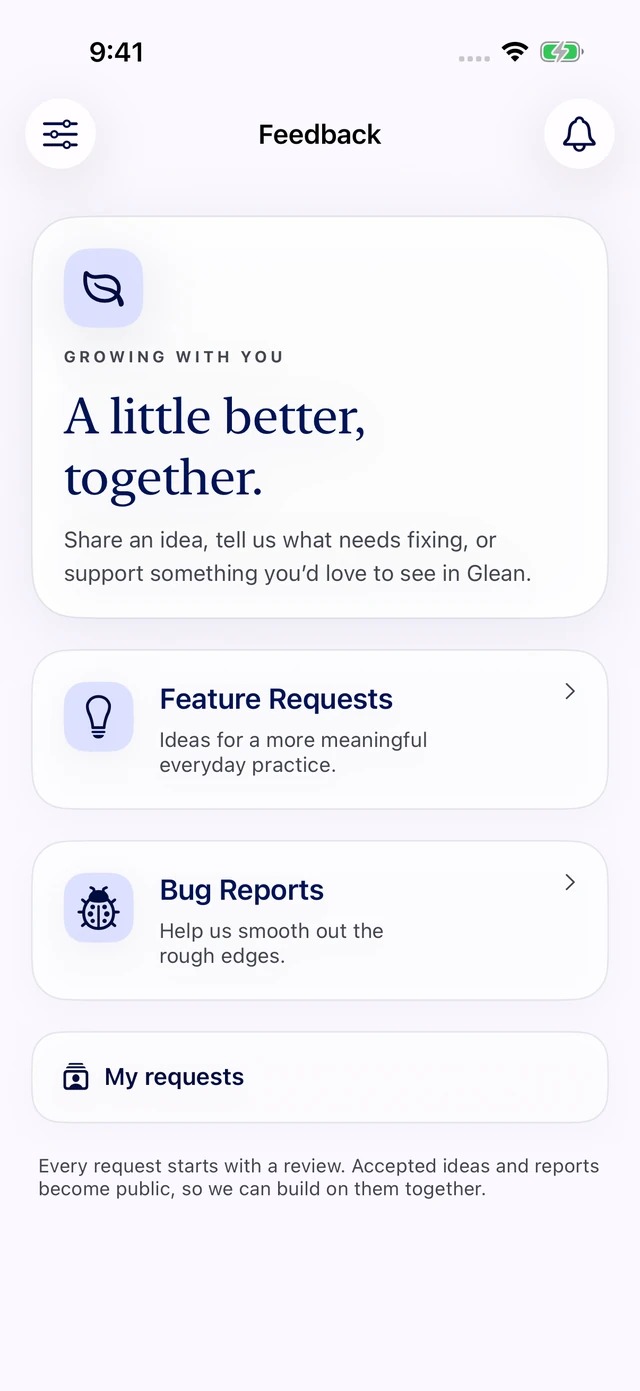
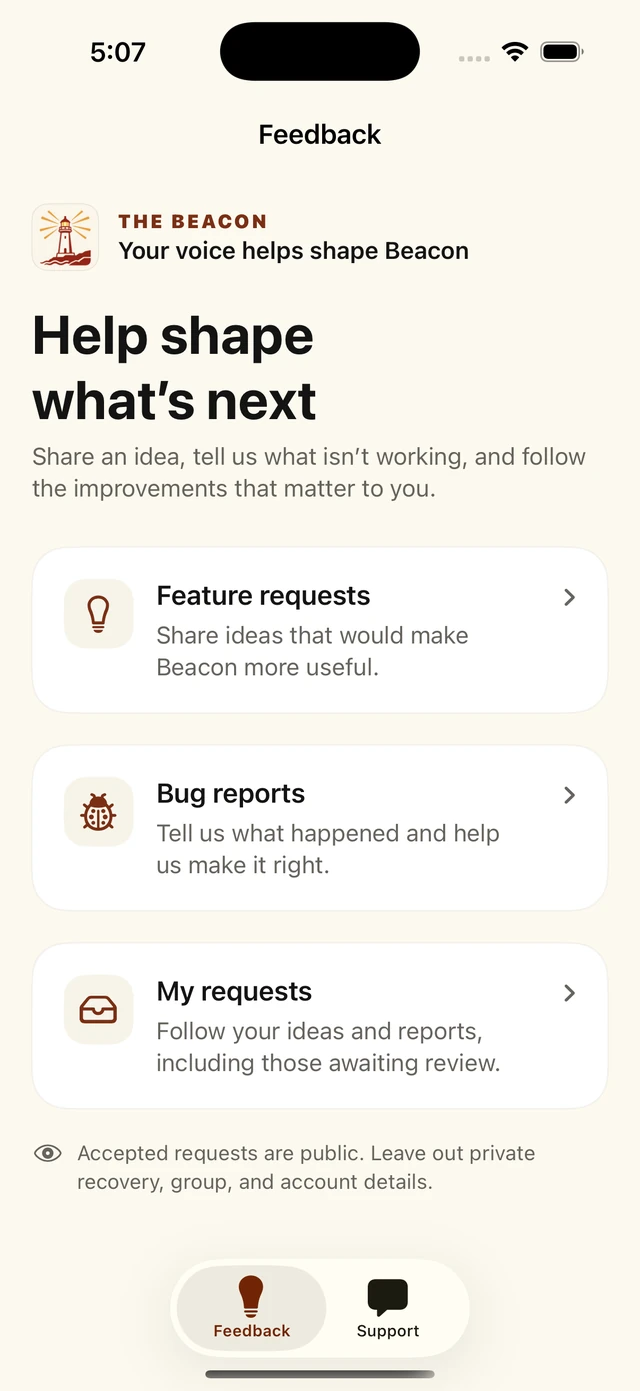
Actual Swift app screens with demo data. Explore each example for website chat, feedback pages, and live links.
The free iPhone companion
Check new messages, reply to users, and review feedback without opening your laptop.
The native Swift app is free. Enter your SupaKnock server URL and sign in with your administrator account.
Explore the iPhone app Works with your self-hosted installation.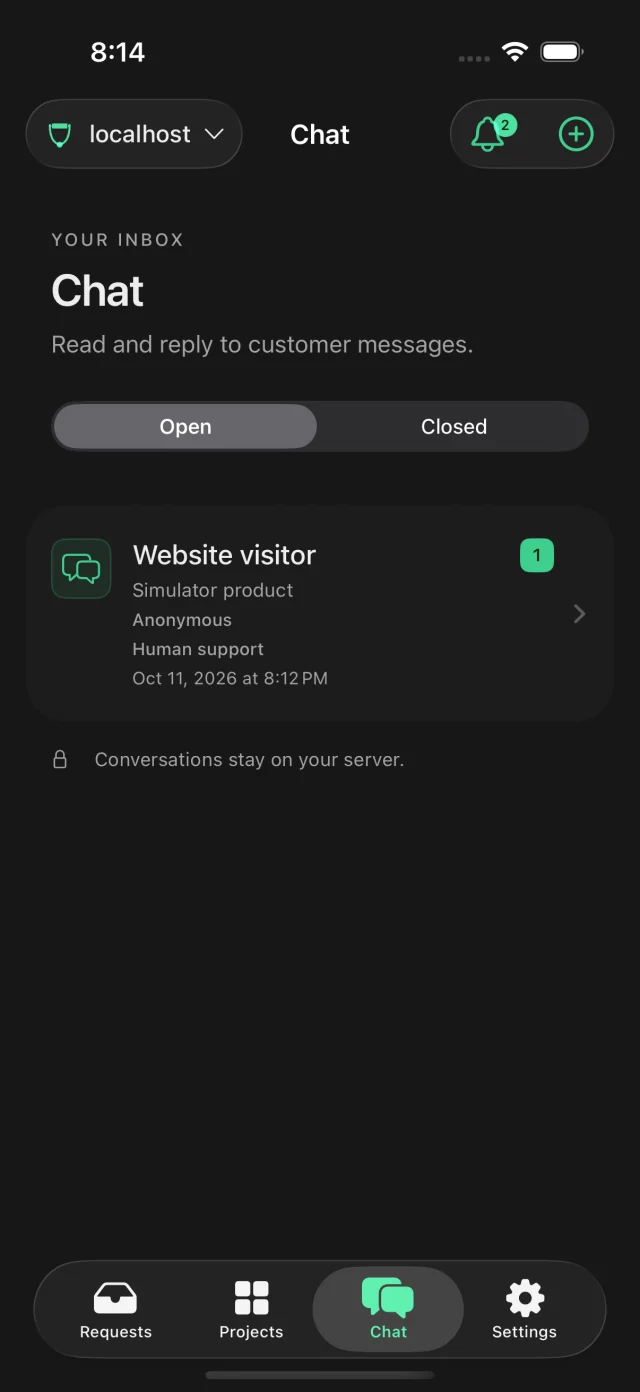
Self-hosted and open source
A support tool you can set up
and get on with using.
SupaKnock runs in one container. Use SQLite out of the box, or connect PostgreSQL or Supabase. You manage the server, backups, and updates. The code is MIT licensed.
Same features with all three. Changing the connection doesn’t move existing data.
Run SupaKnock
Our Docker image is taylorarronj/supaknock. Save the Compose file from the installation guide, then run these commands in the same folder.
Open the installation guidedocker compose pull
docker compose up -d
docker compose exec supaknock cat /data/setup.tokenOpen localhost:8000/setup and use the token printed by the last command to create your admin account.
This gets you running locally. The installation guide also covers HTTPS, your server URL, and keeping your data safe on a public server.
Have an idea? Share it with usA few things to know
For now, SupaKnock is self-hosted: you run the open-source software on your own server. A hosted service is coming soon. There’s no hosted signup yet. Choose SQLite on your persistent volume, or connect your own PostgreSQL or Supabase database.
Yes. The native Swift companion is free to use. Enter your SupaKnock server URL and sign in with an administrator account from that installation. You still provide the server; the iPhone app doesn’t host it for you. Explore the iPhone app.
No. Chat, feedback boards, and the admin inbox work on their own. AI support and its tools start off. If you enable a provider, its own usage costs and data handling apply.
Yes. Embed the website chat widget and use the public feedback pages, or connect your backend through the versioned API. Authenticated customer chat supports returning customers. Project secrets stay on your backend.
Yes, if your app implements the connected-app protocol. It can share account totals, recent signups, user profiles, and activity with SupaKnock. You choose which views it supports. Your admins fetch the data when they open or refresh a view; there’s no background sync or automatic signup alert. Read the connection guide.
No. SupaKnock focuses on support conversations and product feedback. Knowledge articles serve your support assistant; your website, blog, and changelog can stay where they are.